Introduction
Understanding how visitors interact with your website is crucial for improving user experience (UX), increasing conversions, and maximizing ROI. By analyzing customer behavior, businesses can identify pain points, optimize navigation, and enhance engagement.
In this blog post, we’ll explore:
✔ Key metrics to track
✔ Common user behavior patterns
✔ How to interpret data for better decision-making
✔ Actionable tips to improve website performance
Key Metrics to Analyze Customer Behavior
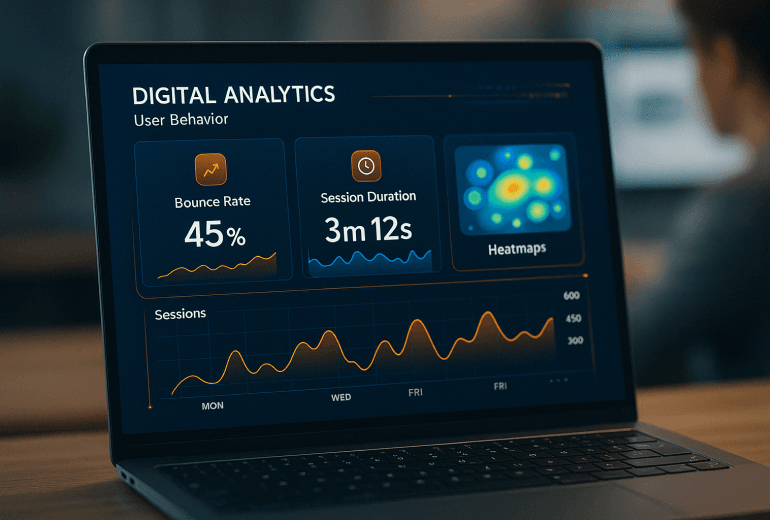
Bounce Rate
- What it means: Percentage of visitors who leave without interacting.
- Industry benchmark: 26-70% (varies by niche).
- Why it matters: High bounce rates may indicate poor UX or irrelevant content.
Average Session Duration
- What it means: How long users stay on your site.
- Ideal range: 2-3 minutes (longer for content-heavy sites).
- Actionable tip: Improve content quality and readability.
Pages Per Session
- What it means: Number of pages a user visits in one session.
- Good benchmark: 2+ pages per session.
- Optimization: Use internal linking and clear CTAs.
Conversion Rate
- What it measures: Percentage of visitors who complete a desired action (e.g., sign-up, purchase).
- Average e-commerce rate: 1-3%.
- Improvement strategy: A/B test landing pages.
Exit Pages
- What it shows: Where users leave your site.
- Common issues: Checkout friction, slow loading, or weak CTAs.
Common Customer Behavior Patterns
🔹 The "Skimmer" (Fast Scroller)
- Behavior: Quickly scans content, looks for key points.
- Solution: Use bullet points, headings, and visuals.
🔹 The "Explorer" (Multi-Page Visitor)
- Behavior: Clicks multiple links, engages deeply.
- Solution: Provide related content suggestions.
🔹 The "Bouncer" (Quick Exiter)
- Behavior: Leaves within seconds.
- Solution: Improve page load speed and relevance.
How to Improve Website Engagement
✅ Optimize Page Speed
- 53% of users abandon sites that take over 3 seconds to load (Google).
- Use tools like Google PageSpeed Insights to test performance.
✅ Improve Navigation & CTAs
- Clear menus and prominent buttons increase conversions by up to 80%.
✅ Use Heatmaps & Session Recordings
- Tools like Hotjar or Crazy Egg reveal where users click, scroll, and drop off.
✅ Personalize User Experience
- Dynamic content (e.g., product recommendations) can boost engagement by 20%.
Conclusion
Analyzing customer behavior helps businesses refine their websites for better engagement and conversions. By tracking key metrics, identifying patterns, and implementing data-driven optimizations, you can create a seamless user experience that drives growth.
Need help optimizing your website? Our web development services can enhance UX, speed, and conversions. Contact us today!